
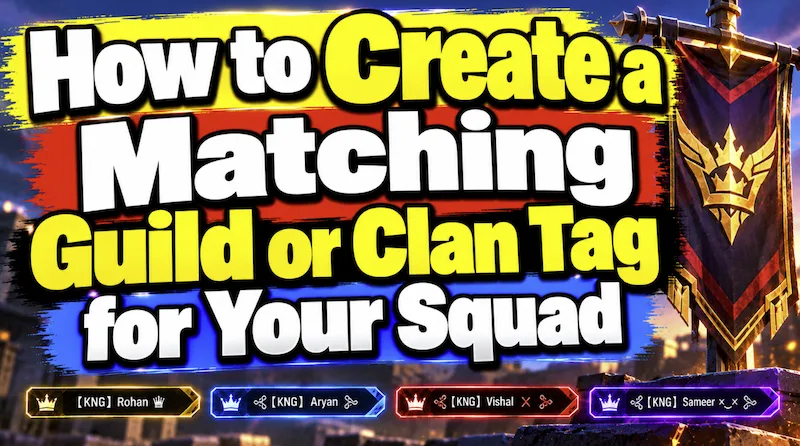
If you have played online games for long time then you understand a lot’s of things that new user can’t understand for example how to intimidate your enemy. Nothing intimidates an enemy team in a Free Fire, BGMI, PUBG Mobile, or COD Mobile lobby more than seeing four players drop in with perfectly coordinated, matching squad names. Whether you are leading a competitive esports roster or starting a casual guild with your best friends, a clean Clan Prefix (Guild Tag) makes your team look organized and professional.
However, many new guild leaders make a costly mistake: they design a long, 6-character clan prefix like ꧁༒TEAM༒꧂, leaving their squad members with almost no room to fit their actual nicknames inside Free Fire’s strict 12-character limit! Here is the complete guide to designing a pro-level clan tag that fits every teammate’s name.
🛠️ Quick Squad Tag Previewer (Build Your Guild Prefix):
(8 Chars)
The Golden Rule of Pro Esports Prefixes: The “3-Character Rule”
If you look at top official guilds in India, Indonesia, and Brazil (such as TSG, Total Gaming, Soul, or GodLike), they almost never use giant decorative borders for their clan tag. Instead, they follow the 3-Character Rule:
- Characters 1 & 2 (The Initials): Pick a 2-letter abbreviation of your guild name. For example, if your guild is “Shadow Kings,” use Sᴋ (a capital S paired with a Small Cap ᴋ) or superscript ˢᵏ.
- Character 3 (The Separator Symbol): Place a single 1-character connector symbol right after the initials, such as ᭄, メ, 亗, or •.
- Remaining 9 Characters (Player’s Name): Because your prefix only used 3 slots, every member of your guild still has 9 full characters left in Free Fire (or 11 in BGMI) to write their own nickname!
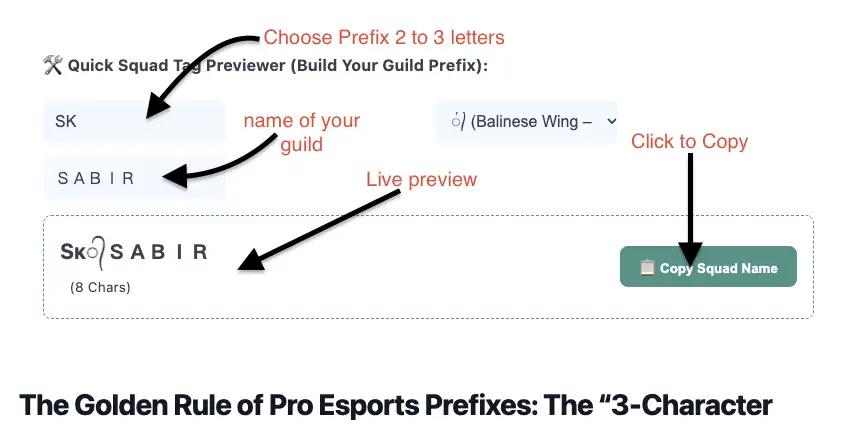
How to Use tool to build your guild name?
It is really easy to do. Just follow all steps you see in the image. First Choose prefix – write it into 2 or 3 letters. Choose popular symbols and then click on input section to write your name. As you write it, you will see live preview of your guild name. if you want to copy just click on the Copy Squad Name Button to copy your guild or squad name.
4 Most Popular Clan Prefix Styles Used by Pro Teams
Want your squad to stand out? Choose one of these four proven prefix formulas and share it in your guild WhatsApp or Discord group so every member uses the exact same template:
| Prefix Style Name | Example Structure | Prefix Cost | Best Game Fit |
|---|---|---|---|
| 1. The Winged Initial (Classic FF) | Sᴋ᭄ + Player Name (e.g., Sᴋ᭄Rᴀʜᴜʟ) | 3 Chars | Free Fire & FF Max |
| 2. The Superscript Tag | ᵀᴳ° + Player Name (e.g., ᵀᴳ°KING) | 3 Chars | All Games (BGMI, FF, CODM) |
| 3. The Katakana Slash (Esports) | GodLメ + Player Name (e.g., GodLメJonathan) | 4–5 Chars | BGMI & PUBG Mobile |
| 4. The Invisible Space Split | RGㅤ + Player Name (e.g., RGㅤALONE) | 3 Chars | Tournament Rosters |
How to Make Sure Your Whole Squad Matches Perfectly
- Lock In One Font for Player Names: If one teammate writes their name in Cursive and another uses Square Blocks, the squad still looks messy. Pick one clean font on StylishName.org—such as Small Font (ꜱᴀʙɪʀ) or Monospace (𝚂𝙰𝙱𝙸𝚁)—and make it the official guild font.
- Add Optional Role Suffixes: Have 1 or 2 characters left over at the end of a short name? Let your squad leader add ᴮᴼˢˢ or 亗 at the end, while content creators add ᵞᵀ!
- Share the Exact Text in Guild Description: Paste your official prefix (for example, Sᴋ᭄) directly into your in-game Guild Notice Board so new recruits can copy it directly inside the game.
Frequently Asked Questions (FAQ)
1. Why do BGMI pros use the symbol “メ” between their clan tag and name?
The symbol メ (Unicode U+30E1) is the Japanese Katakana character “Me.” BGMI and PUBG Mobile players love it because it looks like two crossed ninja blades or a sharp “X” while passing BGMI’s strict character filter without any errors.
2. How do I type tiny raised letters like ᵀᴳ or ᴮᴼˢˢ?
Those are called Unicode Superscript Phonetic Letters. You cannot type them on a standard phone keyboard, but our generator automatically includes them in our Game Font and Bubble Deco presets so you can copy them with one tap.