
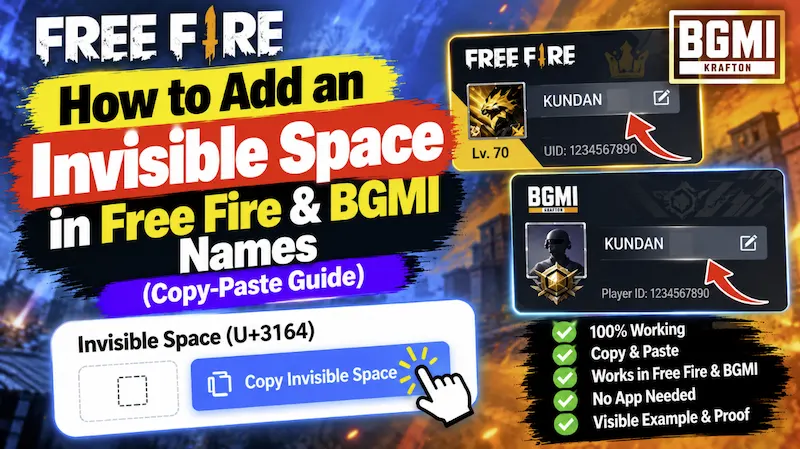
How to Add an Invisible Space in Free Fire & BGMI Names (Copy-Paste Guide)
If you have ever tried to change your In-Game Name (IGN) in Garena Free Fire, Free Fire Max, BGMI, or PUBG Mobile, you have probably run into a frustrating rule: the normal keyboard spacebar does not work. The moment you press the spacebar between your clan tag and your name (for example, trying to type “ALONE BOY”), the game either deletes the space automatically or shows an annoying “Name contains invalid characters” error.
Yet, every time you enter a match lobby, you see pro players and esports squad members with clean, separated nicknames like ×͜×ㅤ𝙰𝙻𝙾𝙽𝙴ㅤ𝙱𝙾𝚈 or Sᴋ᭄ㅤSᴀʙɪʀ. How do they put a blank gap in their names when the game blocks spaces? The secret is a special Unicode character known as the Hangul Filler (Invisible Space).
Click the button below to copy the working Invisible Space character:
Works 100% in Free Fire, BGMI, COD Mobile, Roblox, and Instagram!
Why Does the Invisible Space Work When the Spacebar Fails?
When you press the normal spacebar on your mobile keyboard, your phone inserts the standard ASCII Space character (Unicode code point U+0020). Mobile battle royale developers block U+0020 in player usernames so that players cannot create confusing blank names or spoof other accounts in the database.
However, the invisible character inside the box above is Unicode U+3164, officially called the Hangul Filler. In the Korean writing system, this character is classified as a normal letter rather than a whitespace symbol. Because the game’s name filter sees U+3164 as a valid Korean alphabet letter—even though it has zero visible ink on the screen—it lets you save your nickname with a clean, visible gap!
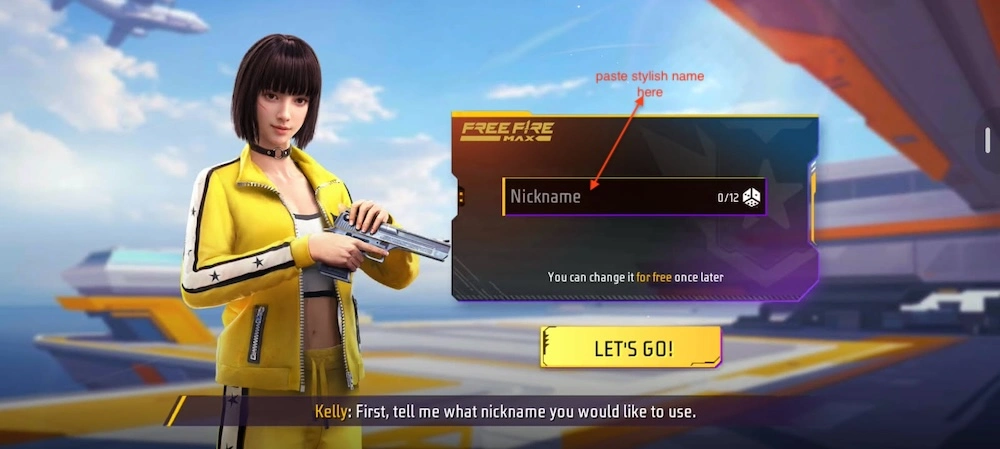
Step-by-Step: How to Use the Invisible Space in Free Fire & BGMI
Before you spend your hard-earned Diamonds or UC on a Name Change Card (Rename Card), follow these simple steps to combine your stylish nickname with the invisible space properly:
- Copy the Invisible Character: Tap the purple “Copy Invisible Space” button at the top of this guide. The blank character is now saved to your phone’s clipboard.
- Open Your Game Profile or Rename Card: Launch Free Fire or BGMI, go to your Inventory or Profile settings, and tap the Rename icon to open the text input box.
- Type Your First Word or Clan Prefix: Enter the first part of your nickname (for example, your guild tag Sᴋ᭄ or ×͜×).
- Long-Press and Paste: Hold your finger down right after the first word and tap Paste. You will see the cursor move forward, leaving a clean blank space.
- Add Your Main Name & Check Character Count: Type the rest of your stylish name after the gap. Remember that the invisible space counts as 1 character toward Free Fire’s 12-character limit and BGMI’s 14-character limit.
Ready-to-Use Stylish Names With Invisible Spaces
Need instant inspiration? All of the nicknames in the table below already have the U+3164 Hangul Filler built right in and are under the 12-to-15 character limit for mobile games:
| Stylish Nickname (With Invisible Space) | Character Count | Best For |
|---|---|---|
| ×͜×ㅤ𝙰𝙻𝙾𝙽𝙴ㅤ𝙱𝙾𝚈 | 13 Chars | BGMI, PUBG, MLBB |
| Sᴋ᭄ㅤSᴀʙɪʀᴮᴼˢˢ | 12 Chars | Free Fire & FF Max |
| 亗ㅤ𝚁𝙾𝙻𝙴𝚇ㅤ☯︎ | 9 Chars | Free Fire, BGMI, CODM |
| CᴀʟʟㅤϻᴇㅤᏞᴏʀᴅ | 12 Chars | Free Fire & Squad Leaders |
| ᴵᴬᴹㅤŁєgєηd࿐ | 11 Chars | All Mobile Games |
Alternative Invisible Characters (If U+3164 Is Taken)
Sometimes, if you try to claim a super popular name like “KING” with a single invisible space, the game might tell you that another player has already taken that exact combination. Here is a pro trick: you can use a different Unicode blank character so the game sees your name as 100% unique!
- Braille Pattern Blank (U+2800): Copy inside brackets [ ⠀ ]. This comes from the Unicode Braille script for visually impaired readers. It works great in Free Fire and Instagram bios when you want to center-align text.
- Halfwidth Hangul Filler (U+FFA0): Copy inside brackets [ ᅠ ]. This creates a slightly narrower space than U+3164, saving valuable screen room in long clan names.
Frequently Asked Questions (FAQ)
1. Is it safe to use an invisible space in Free Fire or BGMI?
Yes, it is 100% safe. You are not modifying game files or using third-party hacks—you are simply pasting a standard Korean Unicode character from your phone’s clipboard. Millions of players and official esports professionals use U+3164 in their tournament tags without any risk of account suspension.
2. Can I make a completely blank (invisible) name in games?
Yes! If you want your name to be completely invisible in the match kill-feed, simply paste the Hangul Filler (U+3164) 3 or 4 times in a row. If that combination is already taken by another player, mix two Hangul Fillers with one Braille Blank (U+2800) so your invisible combination is unique.
3. Why does the invisible space count toward my 12-character limit?
Because the game engine treats the Hangul Filler like a standard alphabet letter, every space you paste uses up 1 slot out of your 12-character limit in Free Fire (or 14-character limit in BGMI). Always check our live character counter on the StylishName.org Homepage before finalizing your name.