
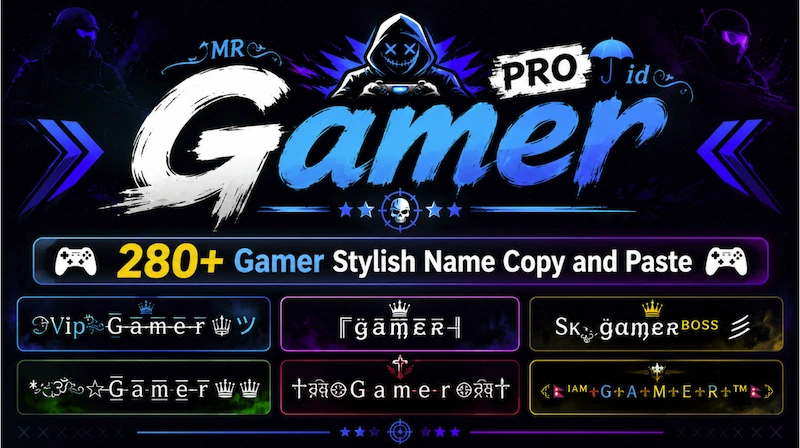
If you’re a gamer, then you can use our Gamer Stylish Name. Here, we have collected more than 280+ gamer stylish names. Each of them has unique symbols and emojis. You can use these stylish names to show your identity as a gamer, and that’s the purpose of these stylish names.
What we did is simple: we took gamer and added different kinds of symbols, emojis and text art that you can see here. Each one has unique symbols and a touch of art that helps define you as a gamer.
You can use these names in your bio, on Instagram, in your WhatsApp About section, YouTube About section, and anywhere else where you can write something about yourself. You can use these stylish names there.
It’s really easy to copy and paste, so you won’t have any issues using them.
Why Should I use gamer stylish name?
As I told you, these are stylish name that show your identity as a gamer. They’re not specifically for usernames or nicknames.
If you want, you can also generate other gamer names. For example, if you already have an idea for a name, like The Last Lord, you can use our stylish name generator.
We also provide a stylish name generator for gamers. You can simply enter a name like The Last Lord, and once you do that, it will generate more than 1,000+ usernames for you.
You can copy and paste them and use them anywhere you want. But what we provide here is mainly a way to show your identity as a gamer.
Examples Of Gamer Usernames:
亗𝑬𝒎𝒑𝒆𝒓𝒐𝒓亗
『𝑲𝒊𝒏𝒈』メ𝑿
꧁༒𝑹𝒐𝒚𝒂𝒍༒꧂
𝑪𝒓𝒐𝒘𝒏々𝑿
乂𝑳𝒐𝒓𝒅乂
𝑻𝒉𝒆メ𝑽𝒊𝒑𝒆𝒓
亗𝑩𝒊𝒈々𝑩𝒐𝒔𝒔亗
『𝑷𝒓𝒊𝒏𝒄𝒆』ツ
Is it supported everywhere?
Yeah, almost everywhere online, you can use our gamer stylish names.
As you know, nowadays, most modern devices support Unicode characters. The stylish names we create use some Unicode characters.
So, on every device that supports Unicode characters, they’re going to work. Even in some places where Unicode support is limited, they may still work. But yes, some symbols are emojis, and they might not show properly. Instead, they may appear as a block or some other strange symbol.
But overall, they’ll work in almost all places online.
Can I use these name styles to create a logo?
Yeah, you can do that. You can use these name styles for your logo.
Just click on the name and, for example, if you’re using Canva, simply paste it there. It should show up just like that.
Other online designing platforms should also support them. Even if you’re using Photoshop, you can put the name there, but you may need to select the right font for it.
If you’re using some kind of logo maker software, there’s a high chance that these names will work there as well.
They can also work in video editing software like Final Cut Pro. We have tested them there, and they work well. They should also work in other software like Adobe Premiere Pro.
Can we copy and paste Gamer Usernames?
Yeah, you can do that. We thought about this too.
Some people don’t just want to show their identity as a gamer; they also want a gamer username that they can directly copy and paste.
For them, if you go to the 10th page of the gamer stylish names and keep clicking Next, we’ve added gamer usernames. There are different kinds of Gamer Usernames that you can click and copy.
Gamer Usernames:
꧁༒☬𝑺𝒂𝒗𝒂𝒈𝒆☬༒꧂
亗 𝑩𝒍𝒐𝒐𝒅𝑯𝒖𝒏𝒕𝒆𝒓 亗
乂𝑺𝒕𝒐𝒓𝒎乂
『𝑹𝒆𝒂𝒑𝒆𝒓』
𝑯𝒆𝒍𝒍メ𝑩𝒐𝒚
么𝑪𝒓𝒂𝒛𝒚 𝑲𝒊𝒍𝒍𝒆𝒓么
𝑾𝒂𝒓𝒍𝒐𝒓𝒅⚔️
𝑷𝒉𝒂𝒏𝒕𝒐𝒎々
ᴅᴀʀᴋメᴠɪʙᴇs
𝑭𝒊𝒓𝒆々𝑺𝒕𝒐𝒓𝒎
亗𝑺𝒌𝒖𝒍𝒍亗
乂𝑯𝒂𝒗𝒐𝒄乂
꧁ঔৣ𝑳𝒐𝒔𝒕 𝑺𝒐𝒖𝒍ঔৣ꧂
『𝑩𝒍𝒂𝒄𝒌』𝑽𝒊𝒑𝒆𝒓
𝑾𝒊𝒏𝒕𝒆𝒓メ𝑺𝒐𝒍𝒅𝒊𝒆𝒓
𝑵𝒐𝒕𝒉𝒊𝒏𝒈々𝑭𝒆𝒂𝒓
ᴳᵒᵈメᴷᶦˡˡᵉʳ
亗𝑹𝒐𝒚𝒂𝒍々𝑲𝒊𝒏𝒈亗
꧁༺𝑻𝒉𝒆 𝑩𝒐𝒔𝒔༻꧂
𝑺𝒉𝒂𝒅𝒐𝒘⚡𝑭𝒂𝒏𝒈
and many more.
These are the kinds of Gamer Username you’ll find after the first 10 pages.
But if you want to generate names yourself instead of just copying them, you can click on the stylish name generator that you see below.
There’s an input bar. Click on it, then enter or paste one of the names, like The Last Lord. It will generate a lot of stylish names for you, and there are also many categories that you can choose from.
So, it’s much easier for you to customize your own gamer name style here.
How can I copy and paste a gamer stylish name?
It’s really easy to do. You just need to click on any gamer stylish name. When you click it, you’ll see a copied notification, which means the name has been copied.
Now you can paste it anywhere you want.
Leave a Reply